Table of Contents
- Cloud Storage in the AI Era: Why Traditional Consumer Drives Fall Short
- Key Evaluation Metrics: Read/Write Throughput, S3 Compatibility, and Zero-Egress Fees
- Enterprise S3 Alternatives: Cloudflare R2 vs Wasabi vs Backblaze B2
- Everyday Sync & Creator Backup: Proton Drive, pCloud, and Google Workspace Drive
- Hybrid Workflows: Local NVMe Caching with Rclone & Sync Automations
- Data Redundancy: The 3-2-1 Backup Rule for AI Model Checkpoints & Raw Media
- Comparison Table: Top Cloud Storage Providers (Capacity, Speed, Price & Egress)
- Frequently Asked Questions
Cloud Storage in the AI Era: Why Traditional Consumer Drives Fall Short

The modern digital creator, software engineer, and artificial intelligence practitioner generates data at an unprecedented velocity. Where creative workflows once consisted of a few hundred megabytes of Photoshop layers or raw photography, today’s pipelines handle hundreds of gigabytes of 4K ProRes footage, massive 50GB GGUF model checkpoints, multi-million-row image training datasets, and vectorized embeddings.
Legacy consumer cloud storage platforms—such as standard Dropbox, Microsoft OneDrive, and consumer iCloud—were engineered around syncing Word documents and iPhone photo albums. When subjected to AI-scale workloads, they crumble: desktop sync daemons throttle system CPU cores, maximum individual file size upload caps block large model weights, and restrictive file sharing bandwidth limitations result in account suspensions.
Furthermore, cloud hyperscalers (Amazon Web Services S3, Google Cloud Storage, Microsoft Azure Blob) impose punishing, unpredictable egress bandwidth fees ($0.05 to $0.09 per gigabyte downloaded), turning a single dataset transfer into a multi-hundred-dollar invoice surprise. Finding high-throughput, S3-compatible, zero-egress cloud storage is now an essential prerequisite for cost-effective digital development.
This technical breakdown evaluates the premier cloud storage platforms engineered for creator pipelines, machine learning datasets, and secure archival storage in 2026.
Key Evaluation Metrics: Read/Write Throughput, S3 Compatibility, and Zero-Egress Fees

Before committing your datasets or master video archives to a cloud infrastructure provider, evaluate providers across four non-negotiable architectural standards:
- Zero or Predictable Egress Costs: Traditional cloud storage charges you twice: once to store data, and again every time you download or train against that data. Modern object storage leaders eliminate egress fees entirely, allowing infinite model downloads without financial penalties.
- Native S3 API Compatibility: Your cloud bucket must expose an industry-standard Amazon S3-compatible REST API. This ensures full interoperability with popular CLI tools (
aws-cli,rclone,Cyberduck) and Python libraries (boto3, PyTorch dataset loaders) with zero code rewrites. - Multi-Part Upload Concurrency: Handling 100GB+ files requires robust multi-part chunking and automatic retry logic so network drops do not restart multi-hour uploads from zero.
- Zero-Knowledge End-to-End Encryption (E2EE): For sensitive client deliverables, proprietary source code, and personal records, client-side encryption ensures that even if the storage provider suffers a subpoena or server intrusion, your raw data remains mathematically indecipherable.
Enterprise S3 Alternatives: Cloudflare R2 vs Wasabi vs Backblaze B2
For technical users, developers, and AI dataset hosters, three specialized object storage providers dominate the value and performance landscape:
1. Cloudflare R2: The Zero-Egress Market Disruptor
Cloudflare R2 is the premier choice for AI model weight distribution and web asset hosting. Storing data costs a flat $0.015 per GB-month, and most importantly, egress bandwidth is 100% free. Built directly on Cloudflare’s global edge network, R2 automatically caches hot assets close to your compute nodes, reducing latency for distributed training clusters or public application downloads.
2. Wasabi Hot Cloud Storage: High-Speed Flat Pricing
Wasabi pioneered simple, tierless hot cloud storage. At $6.99 per TB-month with zero fees for egress or API requests (subject to reasonable use guidelines), Wasabi is exceptionally popular among video production houses and 3D rendering studios that require continuous, full-speed streaming directly into editing suites.
3. Backblaze B2: The Battle-Tested Budget King
At approximately $0.006 per GB-month ($6 per TB), Backblaze B2 offers the most economical raw storage capacity on the market. With free egress up to 3x your stored data volume via Cloudflare bandwidth alliance partnerships, B2 is the undisputed champion for deep disaster recovery backups and immutable archival snapshots.
Everyday Sync & Creator Backup: Proton Drive, pCloud, and Google Workspace Drive

If your workflow demands desktop folder synchronization, seamless mobile access, and client-sharing links rather than raw API object buckets, specialized consumer-prosumer platforms provide superior user experience:
- Proton Drive: The gold standard in privacy-first cloud storage. Based in Switzerland, Proton Drive enforces end-to-end zero-knowledge encryption across all files, metadata, and folders. Perfect for confidential contracts, financial ledgers, and sensitive source code.
- pCloud: Offers exceptional flexibility with both monthly subscriptions and permanent Lifetime Storage licenses (up to 10TB). pCloud mounts as a virtual network drive on macOS and Windows, freeing up local NVMe SSD capacity while streaming files on demand.
- Google Workspace (Enterprise Drive): While consumer Google Drive accounts face aggressive sharing limits, pooled Enterprise Workspace accounts provide massive shared drive capabilities, seamless Google Docs integration, and unmatched collaborative multi-user editing.
Hybrid Workflows: Local NVMe Caching with Rclone & Sync Automations
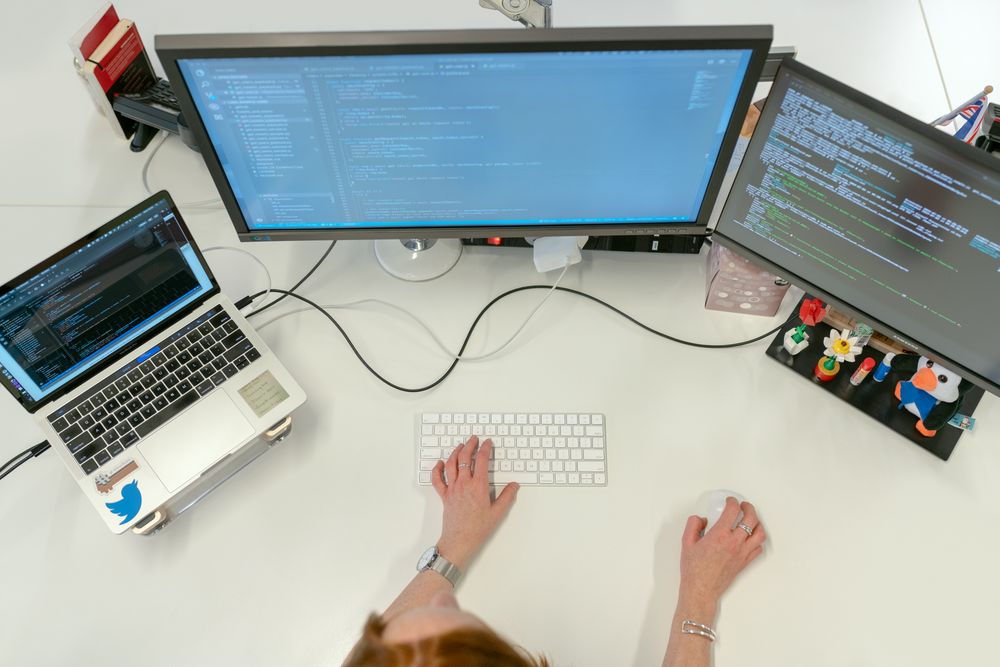
Working directly over cloud connections can throttle high-frequency AI training and 4K video scrubbing. The optimal architectural solution is a hybrid caching pipeline utilizing the command-line utility Rclone (rclone.org).
Rclone is an open-source command-line tool capable of synchronizing files between local storage and over 40 cloud providers with military-grade efficiency. With Rclone, you can mount an S3 bucket (like Cloudflare R2 or Backblaze B2) as a local directory on your Mac or PC:
rclone mount remote-r2:my-ai-datasets /mnt/datasets --vfs-cache-mode full --vfs-cache-max-size 100G --vfs-cache-max-age 72h --transfers 16 --buffer-size 64MThis command mounts your cloud bucket while establishing a 100GB local NVMe cache. The first time an AI model or video clip is accessed, it streams to your blazing-fast local SSD cache; subsequent reads execute at 5,000 MB/s local bus speeds, while background processes silently sync modifications back to the cloud. For automated synchronization scripts, scheduled cron jobs or Windows Task Scheduler scripts running rclone sync overnight ensure that local scratch disks are purged and synchronized to remote buckets before business hours begin.
Furthermore, pair Rclone with client-side transparent encryption using the rclone crypt remote wrapper. This guarantees that all model weights, proprietary prompts, and confidential client project deliverables are mathematically scrambled with AES-256 before transit, rendering bucket data completely unreadable even in the event of provider compromise or accidental public bucket exposure.
Data Redundancy: The 3-2-1 Backup Rule for AI Model Checkpoints & Raw Media

Relying on a single cloud drive provider violates fundamental data preservation engineering. Hardware failures, account lockouts, payment billing glitches, or catastrophic datacenter outages can instantly wipe out years of intellectual property.
Adopt the battle-tested 3-2-1 Backup Rule adapted for 2026 digital creators:
- 3 Copies of Data: Maintain one primary production copy, one local backup, and one off-site cloud copy. For AI engineers, this includes the active fine-tuning dataset, a snapshot on a secondary local drive, and an object storage bucket version.
- 2 Different Media Types: Store data across distinct physical media (e.g., local high-speed PCIe Gen4 NVMe SSD for active editing + high-capacity magnetic NAS hard drives or external cold drives for local staging).
- 1 Off-Site Immutable Cloud Snapshot: Ship automated, encrypted nightly backups to an immutable object bucket (such as Backblaze B2 or Wasabi with Object Lock enabled) where files cannot be modified or deleted even if a ransomware attacker gains access to your primary desktop.
Additionally, enable automated lifecycle versioning policies on your object storage buckets. S3 Object Versioning retains historical iterations of model checkpoints and datasets for 30 to 90 days before automatically transitioning expired versions to deeply discounted cold archive tiers, saving thousands of dollars in redundant storage costs.
Comparison Table: Top Cloud Storage Providers (Capacity, Speed, Price & Egress)
The comparative matrix below compares the premier cloud storage and object storage providers across pricing, API features, and data egress structures in 2026:
| Cloud Provider | Storage Architecture | Cost per TB / Month | Egress Bandwidth Fees | S3 API Interoperability | Primary Use Case |
|---|---|---|---|---|---|
| Cloudflare R2 | Edge Object Storage | $15.00 | $0.00 (100% Free Egress) | Full Native S3 | AI Models, Web Assets, Public Downloads |
| Backblaze B2 | Scalable Object Cloud | $6.00 | Free up to 3x storage | Full Native S3 | Disaster Recovery, Deep Cold Archive |
| Wasabi Hot Storage | High-Performance Object | $6.99 | $0.00 (No egress fees) | Full Native S3 | Video Production, Studio Editing Pools |
| Proton Drive | Encrypted Cloud Sync | ~$10.00 – $15.00 | Included in Plan | Proprietary (E2EE) | Confidential Documents, Privacy Purists |
| pCloud | Virtual Network Drive | $4.99 (or Lifetime $399) | Included in Plan | Proprietary WebDAV | Creators Needing Virtual Laptop Storage |
Frequently Asked Questions
Why shouldn’t I just use Google Drive or Dropbox for my 200GB AI datasets?
Consumer cloud services struggle with millions of small dataset files (such as images and annotations) and impose strict daily download quotas (often 750GB/day) that will halt deep learning training runs or client video deliverables without warning.
What makes Cloudflare R2 significantly cheaper than Amazon AWS S3?
AWS S3 charges $0.09 per GB to download data out of their cloud, meaning downloading a 10TB dataset costs $900 in bandwidth alone. Cloudflare R2 charges $0 for egress bandwidth, saving thousands of dollars for active workflows.
Is it safe to store unencrypted client files on cloud object storage?
We recommend always encrypting sensitive client files client-side using tools like Cryptomator or Rclone’s built-in crypt backend before pushing data to any public cloud bucket.
How fast can I transfer files to Backblaze B2 or Wasabi?
Both providers support saturated multi-gigabit connections. When using multi-threaded tools like Rclone or Cyberduck with 10+ concurrent transfer streams, you can easily saturate a 1 Gbps or 2.5 Gbps fiber internet link.
Editorial Disclosure: TechSide AI provides independent analysis, software benchmarks, and personal finance strategies. We may receive affiliate compensation when you register for products through links on this site. This does not influence our editorial assessments, benchmarks, or scoring.