
Table of Contents
- Why Local AI is the Ultimate Power Move: Zero Cost, Infinite Privacy, No Rate Limits
- Hardware Requirements: Unified Memory (Apple Silicon) vs Dedicated VRAM (NVIDIA)
- Setting Up Ollama: Command-Line Mastery for Llama 3.3, Mistral & Qwen
- Visual Local AI with LM Studio: Chat UI, GPU Offloading & Quantization Explained
- Hooking Local LLMs to Obsidian, Raycast, and Open-WebUI
- Cost vs Performance: Local Inference vs Commercial API Subscriptions
- Comparison Table: Top Open-Source Models (Llama 3 vs Mistral vs DeepSeek vs Gemma)
- Frequently Asked Questions
Why Local AI is the Ultimate Power Move: Zero Cost, Infinite Privacy, No Rate Limits

For the past three years, generative artificial intelligence has been dominated by proprietary cloud-hosted APIs. Services like ChatGPT Plus, Claude Pro, and Google Gemini Advanced have made world-class intelligence accessible, but at significant costs: recurring $20-per-month subscription fees, restrictive rate limits during peak operational hours, server downtime, and profound privacy vulnerabilities.
When you feed corporate financial spreadsheets, private patient records, proprietary codebases, or intimate journaling thoughts into cloud-hosted artificial intelligence services, you transmit sensitive data to external server clusters where terms of service can shift overnight. For privacy-conscious developers, healthcare professionals, legal counsels, and financial analysts, this data exposure is unacceptable.
Enter local open-weight artificial intelligence. Thanks to remarkable architectural advancements in open-source language models—led by Meta’s Llama family, Mistral AI, Alibaba’s Qwen, and DeepSeek—and breakthrough quantization libraries like llama.cpp, you can now execute frontier-grade language models directly on consumer laptops and desktop workstations. Running local models gives you three unassailable superpowers: total air-gapped data privacy, zero recurring monthly costs, and indefinite offline availability without internet connectivity.
In this comprehensive guide, we walk you through the complete installation, hardware configuration, model quantization selection, and workflow integration for running open-source LLMs locally on macOS and Windows in 2026.
Hardware Requirements: Unified Memory (Apple Silicon) vs Dedicated VRAM (NVIDIA)

Executing large language models locally is computationally distinct from traditional video gaming or video editing. The decisive bottleneck in local AI inference is not raw CPU clock speed, but memory capacity and memory bandwidth.
macOS: The Apple Silicon Unified Memory Advantage
Apple Silicon chips (M1, M2, M3, and M4 Pro/Max/Ultra) possess an enormous architectural advantage over standard PCs: Unified Memory Architecture (UMA). On an Apple Silicon Mac, the CPU, Neural Engine, and GPU share an identical pool of high-speed memory with bandwidths exceeding 300 to 800 GB/s. A MacBook Pro equipped with 64GB or 128GB of RAM can load massive 70-billion parameter models entirely into GPU memory, a feat that would otherwise require multi-thousand-dollar enterprise NVIDIA server graphics cards on Windows.
Windows & PC: The Dedicated VRAM (Video RAM) Rule
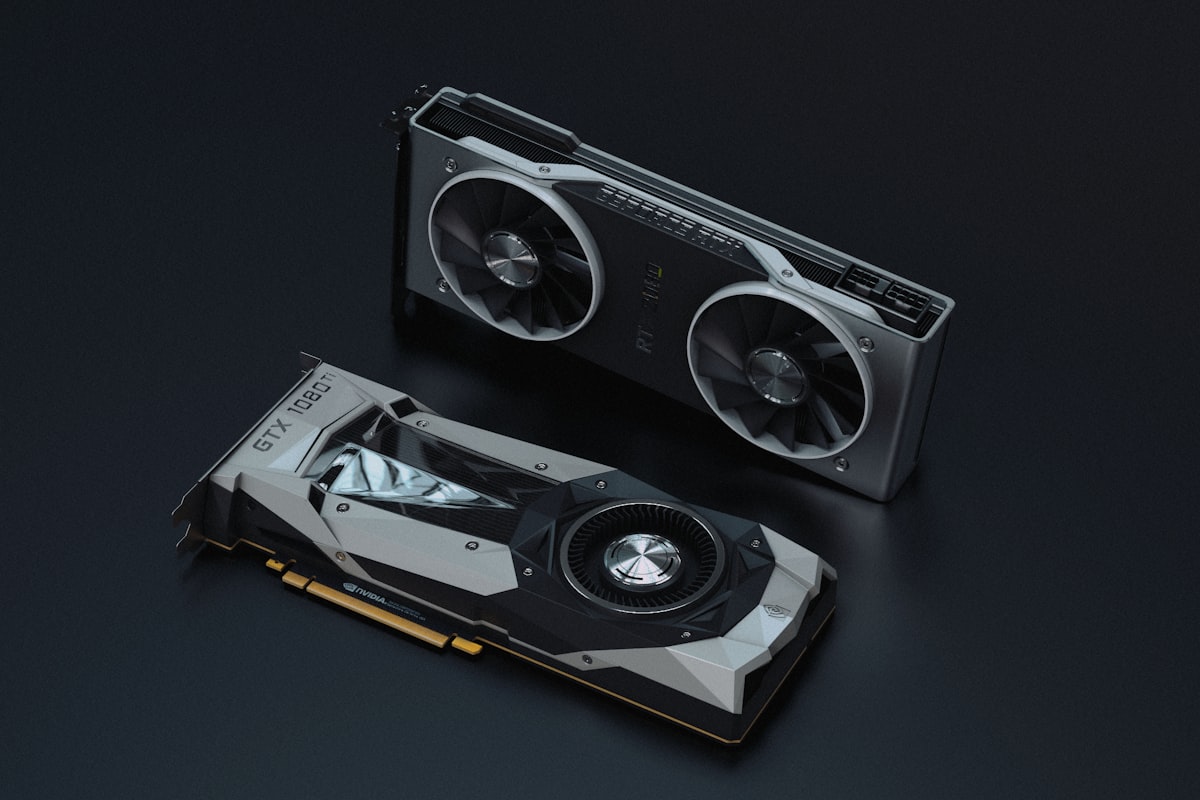
On Windows and Linux desktops, model parameters must reside primarily inside the dedicated Video RAM (VRAM) of your discrete graphics card (typically NVIDIA GeForce RTX series). System RAM (DDR4/DDR5) is significantly slower; offloading layers to system RAM creates dramatic token generation slowdowns.
- Entry-Level (8GB – 16GB RAM/VRAM): Runs 7B to 8B parameter models (e.g., Llama 3.1 8B, Mistral 7B, Gemma 2 9B) smoothly at 4-bit quantization. Blazing fast (30-60 tokens per second).
- Mid-Tier (24GB – 32GB RAM/VRAM): Runs 14B to 32B models (e.g., Qwen 2.5 14B/32B, DeepSeek-Coder) at excellent precision (Q5/Q6 quantization). Exceptional reasoning and coding capability.
- High-End (64GB – 128GB+ Unified Memory / Multi-GPU): Executes massive 70B parameter models (Llama 3.3 70B) at production speeds, rivaling cloud GPT-4 class reasoning on your personal desk.
Setting Up Ollama: Command-Line Mastery for Llama 3.3, Mistral & Qwen
For command-line enthusiasts, software developers, and automation engineers, Ollama is the gold standard of local AI orchestration. Ollama bundles model weights, runtime execution binaries, and hardware optimization into a single elegant package.
Installation & First Model Execution
1. Download the installer from the official repository (ollama.com) for macOS or Windows.
2. Open your terminal (Mac Terminal/Warp or Windows PowerShell) and pull your first high-performance model by typing:
ollama run llama3.1Ollama automatically checks your local GPU architecture (Metal on Apple Silicon or CUDA on NVIDIA), downloads the optimized 4-bit quantized GGUF weights, spins up a local background daemon, and drops you into an interactive chat prompt. The response latency on modern hardware is virtually instantaneous.
Managing Your Model Library via CLI
Ollama makes swapping and testing different models effortless:
ollama list: Displays all currently downloaded local models and their disk consumption.ollama pull mistral: Fetches the latest Mistral 7B model in the background without launching a prompt.ollama pull qwen2.5-coder:7b: Pulls the elite coding specialist model tailored for programming tasks.ollama rm <model-name>: Deletes model weights to free up SSD drive capacity instantly.
Furthermore, Ollama automatically exposes a local REST API on http://localhost:11434, allowing external applications to query your local models with zero configuration.
Visual Local AI with LM Studio: Chat UI, GPU Offloading & Quantization Explained

If you prefer a rich graphical user interface reminiscent of ChatGPT with visual parameter controls, slider adjustments, and side-by-side model evaluations, LM Studio (lmstudio.ai) is unmatched.
Navigating Model Quantization (GGUF)
Inside LM Studio’s built-in Hugging Face model search directory, you will encounter various technical filenames ending in tags like Q4_K_M, Q5_K_S, or Q8_0. These designations represent Quantization levels:
Original foundation models are trained in 16-bit floating point precision (FP16), resulting in massive 140GB+ file sizes for large models. Quantization mathematically compresses model weights down to 4-bit, 5-bit, or 8-bit integers with negligible loss in reasoning capability:
- Q4_K_M (Recommended Sweet Spot): 4-bit medium quantization. Offers the optimal balance of minimal memory footprint and 98%+ benchmark accuracy retention.
- Q5_K_M: Slightly higher memory requirement with imperceptible increases in linguistic nuance. Ideal if you have surplus VRAM.
- Q8_0: Near-lossless precision, but doubles the required RAM footprint. Rarely necessary for general reasoning.
LM Studio features an intelligent hardware detector with a color-coded badge system: green badges indicate the model fits entirely within your GPU memory, yellow warns of partial CPU offloading, and red signals insufficient hardware capacity.
Hooking Local LLMs to Obsidian, Raycast, and Open-WebUI

A local AI model running in an isolated chat window is useful, but connecting that model into your daily productivity software unlocks true power.
1. Private Second Brain with Obsidian
Obsidian users can install community plugins like BMO Chatbot or Text Generator and point the API endpoint to http://localhost:11434/v1. Your local Ollama model can now search across thousands of private markdown notes, synthesize research summaries, and outline projects without a single syllable leaving your encrypted hard drive.
2. Open-WebUI: The Ultimate Self-Hosted ChatGPT Clone
For teams and home labs, running Open-WebUI via Docker provides a self-hosted replica of ChatGPT with full document RAG (Retrieval-Augmented Generation), web searching, user access controls, and voice synthesis, all powered by your local Ollama backend.
3. Raycast Integration for Global Hotkey Prompts
Mac users can install the Raycast Ollama extension, allowing you to trigger local AI text transformations, translations, and coding explanations across any macOS application via a single keyboard shortcut.
Cost vs Performance: Local Inference vs Commercial API Subscriptions

Evaluating whether to transition from cloud AI to local inference requires weighing financial expenditures, hardware amortizations, and performance requirements:
The Financial Math: ROI of Local Hardware
A power user subscribing to ChatGPT Plus ($20/mo), Claude Pro ($20/mo), and GitHub Copilot ($10/mo) spends $600 annually in recurring SaaS expenses. Over a three-year hardware upgrade cycle, that amounts to $1,800 in subscription overhead. Investing that capital into a high-spec Mac Mini M4 Pro (64GB Unified RAM) or a high-end PC desktop equips you with permanent, appreciating hardware capable of executing infinite inference requests forever with zero monthly invoices.
The Quality Frontier in 2026
While frontier cloud models (such as GPT-4o and Claude 3.5 Sonnet) still maintain a slight edge in complex multi-step mathematical proofs and massive codebase context windows (200k+ tokens), modern open-source models like Llama 3.3 70B and Qwen 2.5 32B match or exceed commercial models across 90% of everyday professional tasks: copywriting, text summarization, language translation, Python scripting, and data formatting.
Comparison Table: Top Open-Source Models (Llama 3 vs Mistral vs DeepSeek vs Gemma)
The open-weight ecosystem offers specialized models tuned for distinct computing envelopes. The comparative matrix below analyzes the top open-source models available for local deployment in 2026:
| Model Name & Size | Developer / Creator | Key Specialty | Minimum VRAM / RAM | Recommended Quantization |
|---|---|---|---|---|
| Llama 3.1 / 3.3 (8B) | Meta AI | General Reasoning, Writing, Chat | 6 GB – 8 GB | Q4_K_M (4.9 GB) |
| Llama 3.3 (70B) | Meta AI | Frontier Logic, Complex Research | 40 GB – 48 GB | Q4_K_M (42 GB) |
| Mistral NeMo (12B) | Mistral AI & NVIDIA | Multilingual, Nuanced Text | 10 GB – 12 GB | Q4_K_M (7.1 GB) |
| Qwen 2.5 Coder (14B/32B) | Alibaba Cloud | Python, Full-Stack Coding, SQL | 12 GB – 24 GB | Q5_K_M (10 GB – 22 GB) |
| Gemma 2 (9B / 27B) | Google DeepMind | Mathematical Precision, Trivia | 8 GB – 20 GB | Q4_K_M (5.5 GB – 16 GB) |
Frequently Asked Questions
Can I run local LLMs if I only have an integrated Intel or AMD CPU with no graphics card?
Yes. Tools like Ollama and LM Studio can execute models purely on CPU cores. However, token generation speed will be noticeably slower (typically 3 to 8 tokens per second for an 8B model) compared to running on Apple Silicon or an NVIDIA GPU (30 to 70 tokens per second).
Are local models completely private? Can any data leak online?
When running Ollama or LM Studio locally, inference occurs 100% on your local machine hardware. No prompts, answers, or context tokens are transmitted across the internet. You can disconnect your Wi-Fi entirely and the models will function without degradation.
How much SSD storage space should I allocate for a local AI setup?
We recommend reserving at least 50 GB to 100 GB of high-speed NVMe SSD storage. An 8B model requires approximately 5 GB of disk space, while a 70B model requires roughly 42 GB.
What is the easiest way for a complete beginner to start today?
Download LM Studio from lmstudio.ai. It features an intuitive graphical installer, automatic hardware detection, and a single search bar to find, download, and chat with models with zero terminal commands required.
Editorial Disclosure: TechSide AI provides independent analysis, software benchmarks, and personal finance strategies. We may receive affiliate compensation when you register for products through links on this site. This does not influence our editorial assessments, benchmarks, or scoring.